AI keyboard for iPhone
Write better, right where you type.
Proofread, translate, make it polite or shorten it — one tap on the keyboard, in any app. No copy and paste, no switching apps.
Download on the App StoreFree to start · iPhone & iPad
Works in every app you type in
Mail · Messages · Slack · X · Notes · WhatsApp · LINE
Three taps, and it's rewritten
Switch to TypeAI
Add the TypeAI keyboard once, then switch to it with the globe key.
Type or select
Write as you normally would, or select text you've already written.
Tap a shortcut
The AI rewrites your text in place. Keep it, or try again.
One keyboard, many writing tools
Proofread
Fix spelling and grammar mistakes in seconds, before you hit send.
Polite & professional
Turn a casual draft into a clear, courteous business message.
Translate
Reply in another language without leaving the conversation.
Summarize
Cut long text down to what matters.
Your own shortcuts
Create buttons with your own instructions for the things you write every day.
Pick your model
A fast Standard model, an Advanced model for harder text, and a free, private on-device model on supported devices.
See it in action
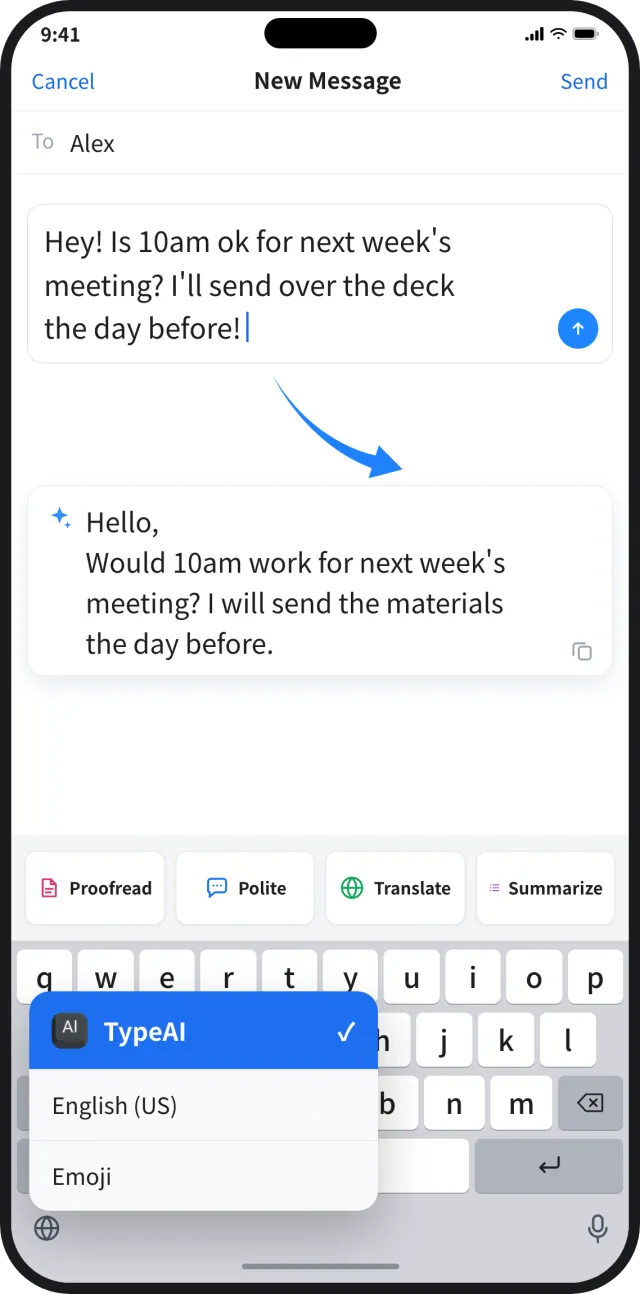
Rewrite in any app
Switch to TypeAI with the globe key and polish your draft right where you wrote it.
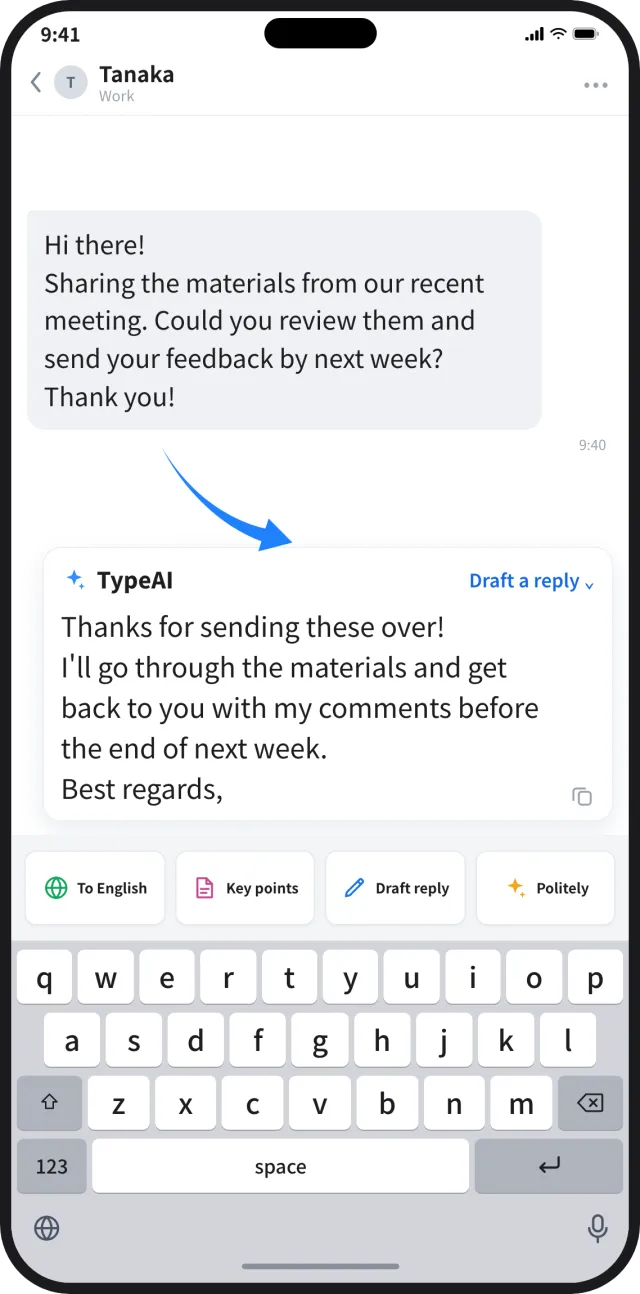
Draft a reply in one tap
Save the instructions you use most — like drafting a reply or pulling out key points — as shortcut buttons.
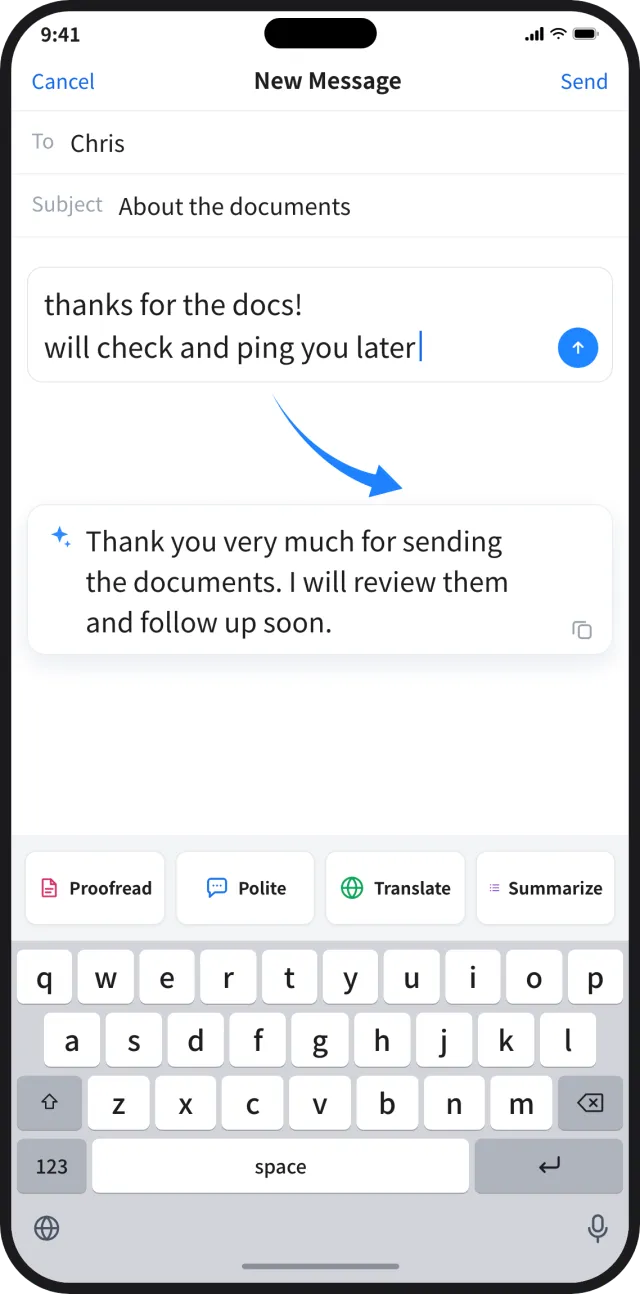
Casual to professional
Turn a quick note into a courteous message before you hit send.
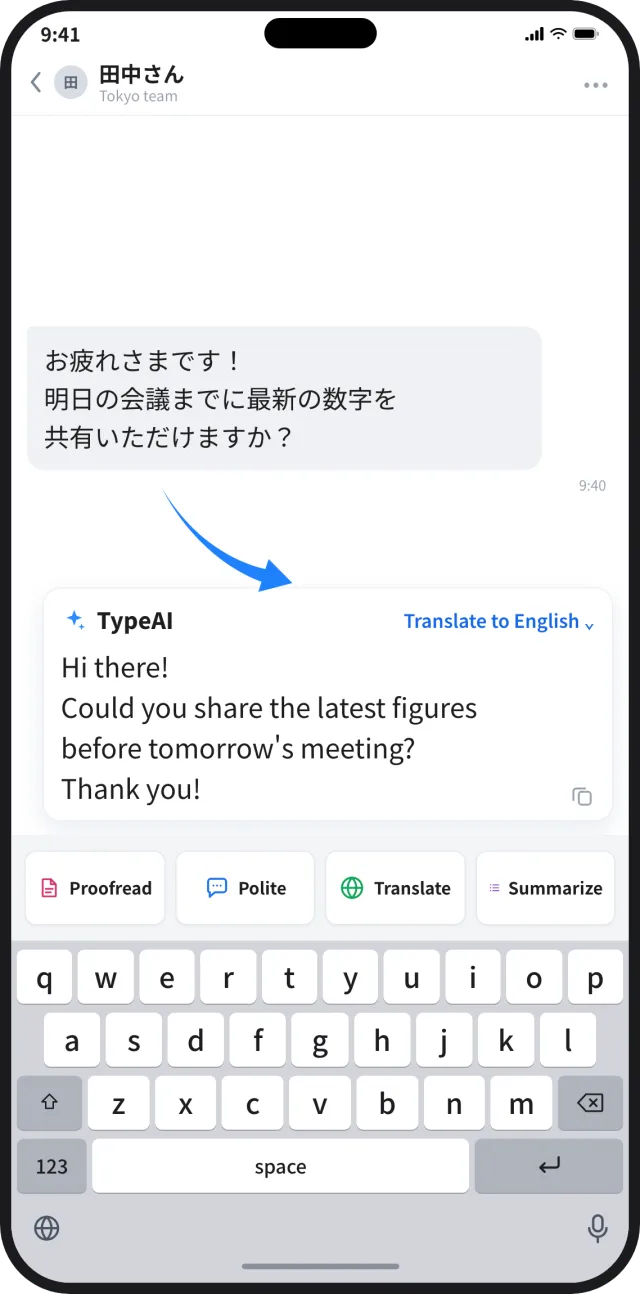
Reply in their language
Translate the message you received and answer it, without switching apps.
Your text, only when you choose
No sign-up with your name or email. Of what you type with the keyboard, only the text you send with an AI feature leaves your device, and you are asked once for consent before anything is sent. Full Access is needed only to make that request. For usage data and crash reports, see the privacy policy.
Read the privacy policy →Start free
Free
Try the AI for free a limited number of times. No payment needed.
TypeAI PRO
Unlimited use with a subscription. Cancel anytime in your App Store settings.
Lifetime Plan
Pay once and keep unlimited use forever.
Prices are shown in the app in your local currency. Subscriptions renew automatically unless cancelled at least 24 hours before the end of the current period.
Frequently asked questions
Will I be charged just by downloading the app?
No. You are charged only if you start a subscription or buy the Lifetime plan. Trying it with the free uses costs nothing.
How do I cancel my subscription or free trial?
Open Settings on your iPhone, tap your name, then Subscriptions. Deleting the app does not cancel the subscription.
Why does the keyboard need Full Access?
To send the text you choose to the AI. Of what you type with the keyboard, only the text you send with an AI feature leaves your device.
Which apps can I use it in?
Any app with a text field — Mail, Messages, Slack, X, Notes, browsers and more.
Is this the same as other apps named “TypeAI”?
No. There is a different app with a similar name. This site and our support are only for the TypeAI with the keyboard-key icon shown at the top of this page — please check the icon before contacting us.